1 Overview
The XYZTheme Updater is a free WordPress plugin that turns manual GPL updates into one-click updates. It links your site to your XYZTheme account and surfaces new versions of your premium plugins & themes right inside WordPress — no downloads, no ZIP uploads.
2 Installation
Download the plugin
Grab the free xyztheme.zip from the XYZTheme Updater product page.
Upload it
In WordPress go to Plugins → Add New → Upload Plugin, choose the ZIP, and click Install Now.
Activate
Click Activate. A new XYZ Theme menu appears in your admin sidebar.
3 Connect your account
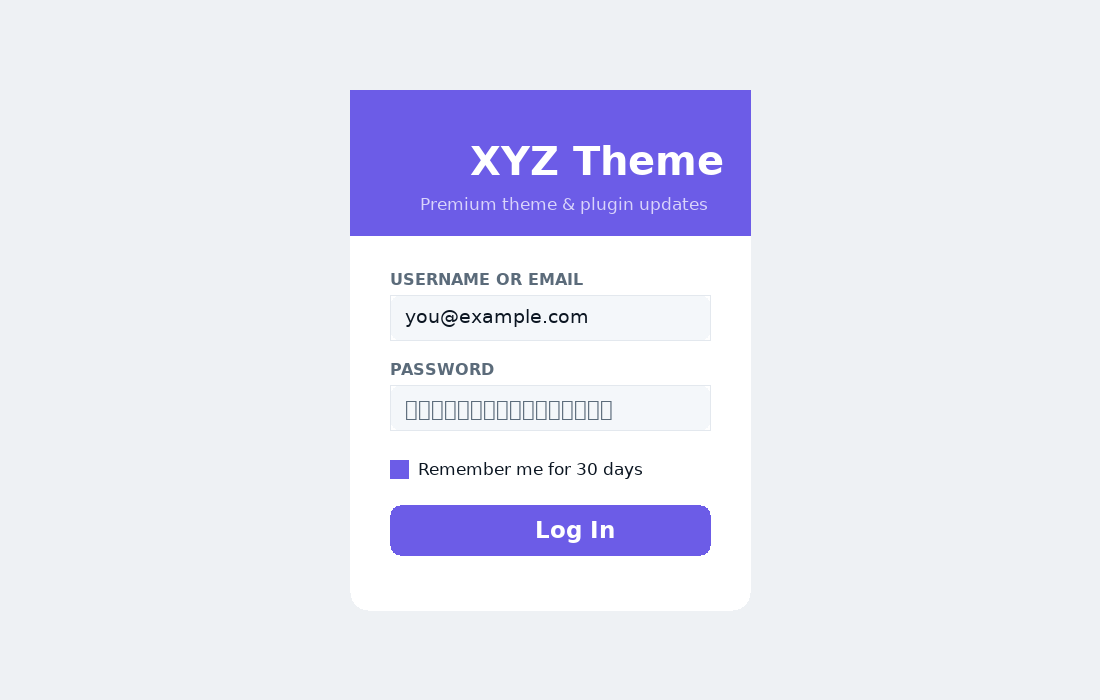
Open XYZ Theme from the menu and sign in with your xyztheme.com username/email and password. Tick Remember me to stay connected for 30 days.
4 The dashboard
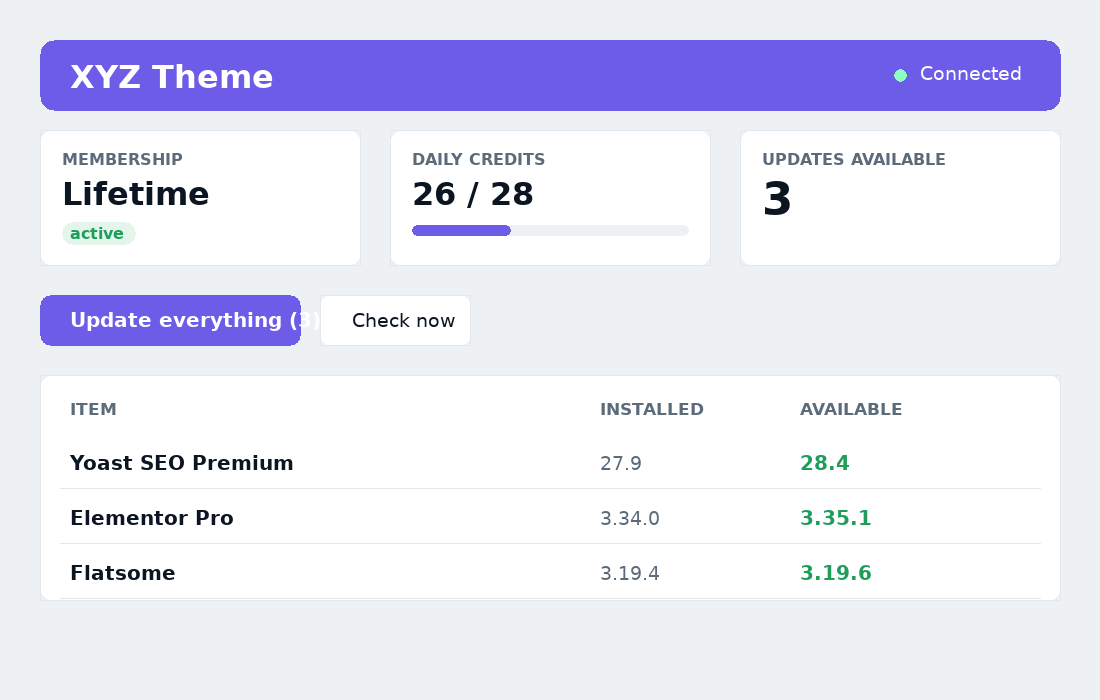
Once connected, the dashboard gives you the whole picture at a glance:
- Membership — your active plan (or a prompt to get one).
- Daily credits — how many downloads you have left today, with a live meter.
- Updates available — the number of premium items ready to update.
- Your products — for single-product buyers, the items you can update (members see “all products”).
5 Updating your sites
One click, everything
Press Update everything to upgrade every waiting plugin and theme in a single run.
Or one at a time
Prefer control? Every item also appears in the standard Dashboard → Updates screen, so you can update them individually like any other plugin.
Hands-off auto-updates
Toggle Auto-updates and the plugin keeps managed items current automatically. Turn on Email alerts to get a daily note when new versions land.
6 Credits & plans
Downloads are metered per day, matching your plan. Re-downloading the same item on the same day never double-counts, and the allowance resets automatically every 24 hours.
| Plan | Downloads / day |
|---|---|
| Monthly | 25 |
| Half-Year / Lifetime | 28 |
| Annual / 3-Month | 30 |
7 White-label (for agencies)
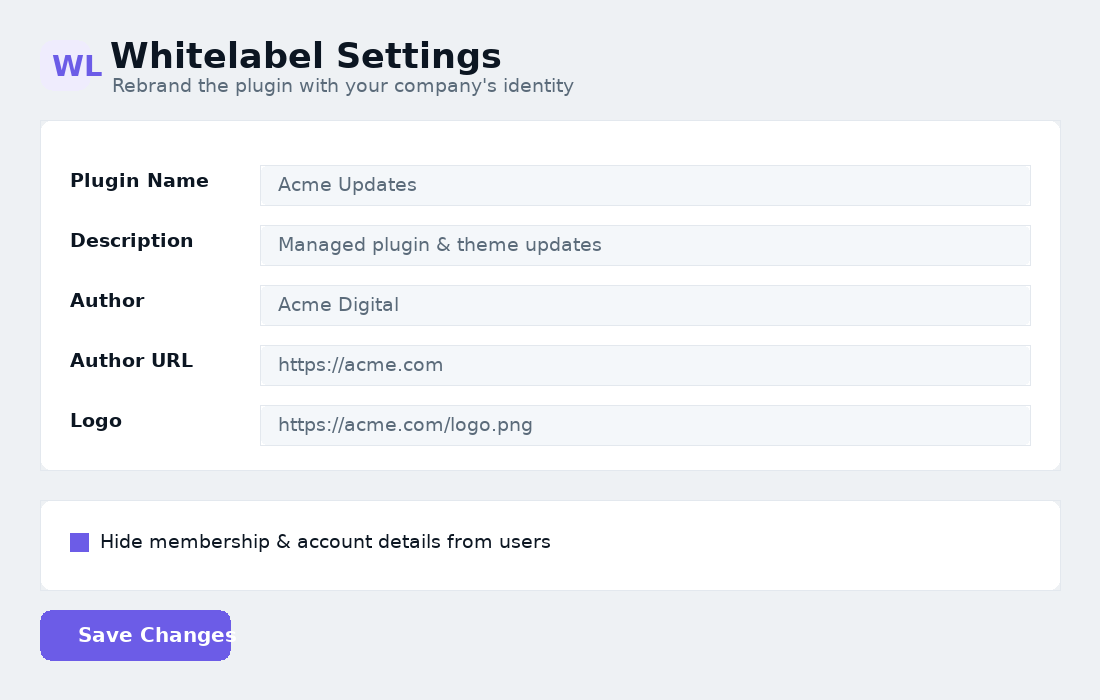
Make the plugin unmistakably yours. Open White Label under the plugin menu and set:
- Plugin Name, Description, Author & Author URL — shown across the plugin and the Plugins screen.
- Logo — upload your mark; it replaces the brand name in the header.
- Hide membership & account details — clients see only the update tools.
- Hide the settings page — remove it from the menu (reactivate the plugin to bring it back).
Prefer to lock it via code?
Agencies who want branding a client can't change can set it in wp-config.php instead:
// White-label the updater on this site
define('XYZ_WL', true);
define('XYZ_WL_NAME', 'Acme Updates');
define('XYZ_WL_SUPPORT_URL', 'https://acme.com');
define('XYZ_WL_HIDE_ACCOUNT', true);
8 Options & controls
| Option | What it does |
|---|---|
| Check for updates now | Forces an immediate re-scan against the catalogue. |
| Auto-updates | Lets WordPress update managed items automatically. |
| Email alerts | Sends a daily digest when updates are available. |
| Disconnect | Signs the site out and clears the stored token. |
Automatic checks run every 12 hours, and instantly whenever you open the plugin or the Updates screen.
9 Troubleshooting & FAQ
An update shows but won't install
This usually means the daily credit limit was reached or an account's access has lapsed. The dashboard shows your remaining credits; wait for the daily reset or renew the membership, then try again.
“Not connected” after a while
Your session token expired and couldn't refresh (e.g., the site was offline). Just open XYZ Theme and log in again — enable “Remember me” to extend it to 30 days.
A plugin isn't listed for updates
Only items in your XYZTheme library are managed, and the installed folder must match. If a newer version exists but isn't showing, click Check for updates now.
Does it work on multiple sites?
Yes — connect the plugin on each site with the same account. Each site holds its own token.
Will clients see my membership?
Not with white-label enabled — membership, credits and purchases are hidden entirely.
10 Changelog
| Version | Highlights |
|---|---|
| 2.11 | Smoother one-click updates: Update now and Update everything keep your plugins active throughout, just like WordPress’s built-in updater. |
| 2.10 | Faster, lighter update checks — compressed catalogue uses about 85% less data; download links stay valid for 24 hours; clearer messages if a download can’t start. |
| 2.9 | Tidier plugin menu: Dashboard, White Label and Documentation in a fixed order. |
| 2.8 | Documentation opens the full online guide; new Support card on the dashboard. |
| 2.7 | In-plugin Documentation page under the plugin menu. |
| 2.6 | Per-item “Update now” button in the updates list. |
| 2.5 | Brand refresh; performance polish. |
| 2.4 | In-plugin White-label settings page with logo upload. |
| 2.2 | Secure “remember me”, plan & credit dashboard, product entitlements. |
| 2.1 | One-click Update All, update history, email alerts, menu badge. |
| 2.0 | Rebuilt updater: conditional checks, CDN downloads, token auth. |
© XYZTheme · XYZTheme Updater documentation · xyztheme.com